
Monitor - Lenovo ThinkVision T24t-20
Monitor
/ Lenovo /
ThinkVision T24t-20



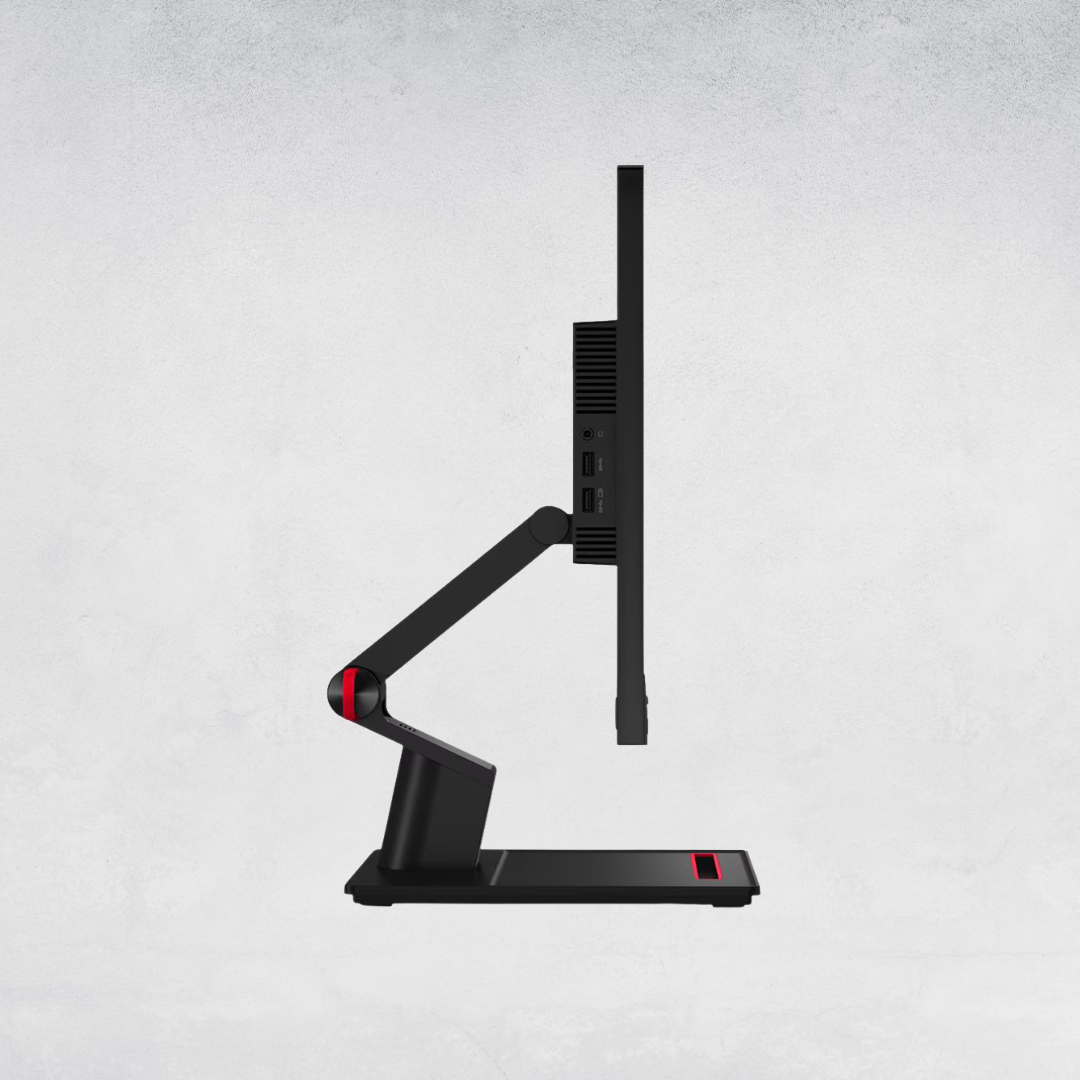
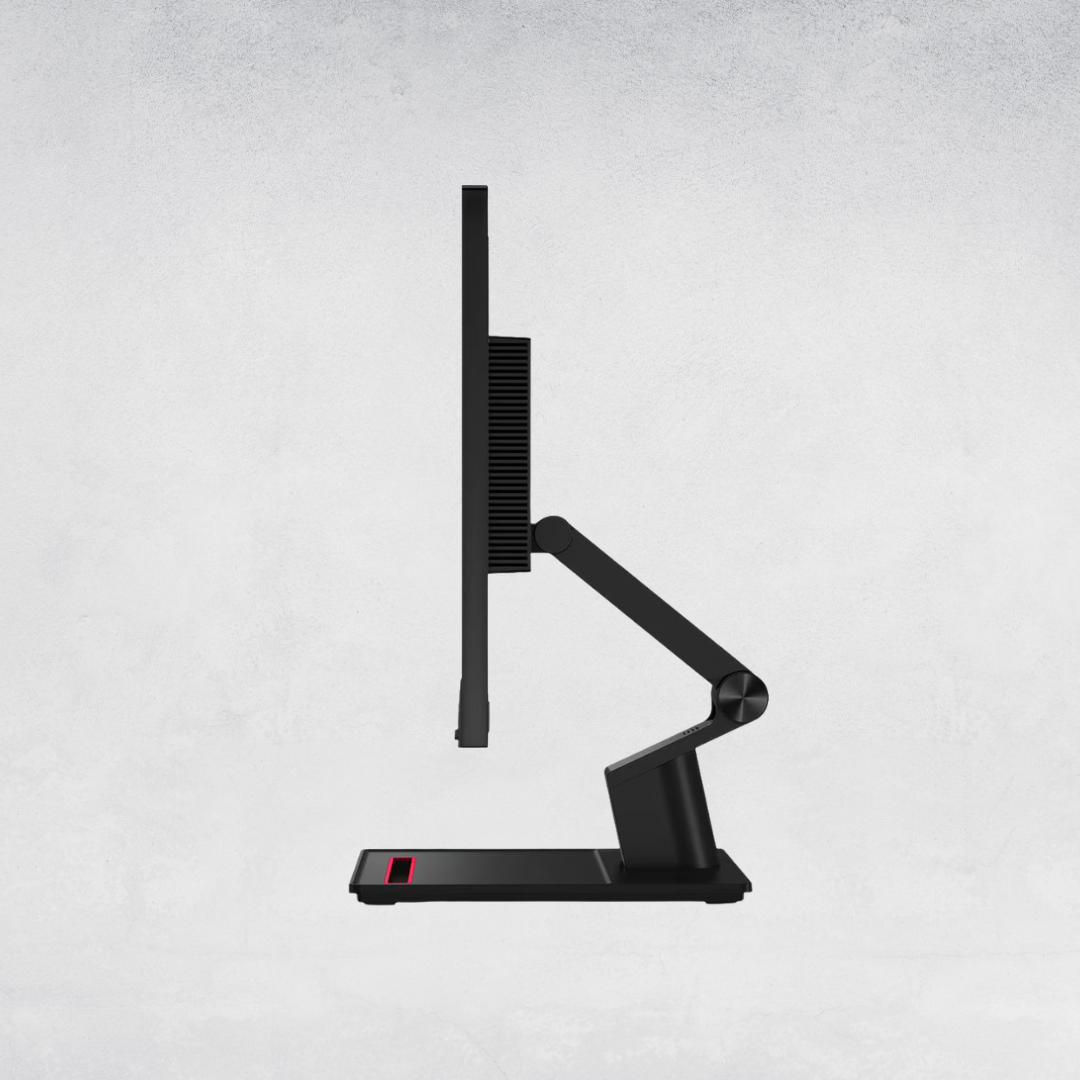
Spesification Monitor - ThinkVision T24t-20
Fingetip control for every sphere of business
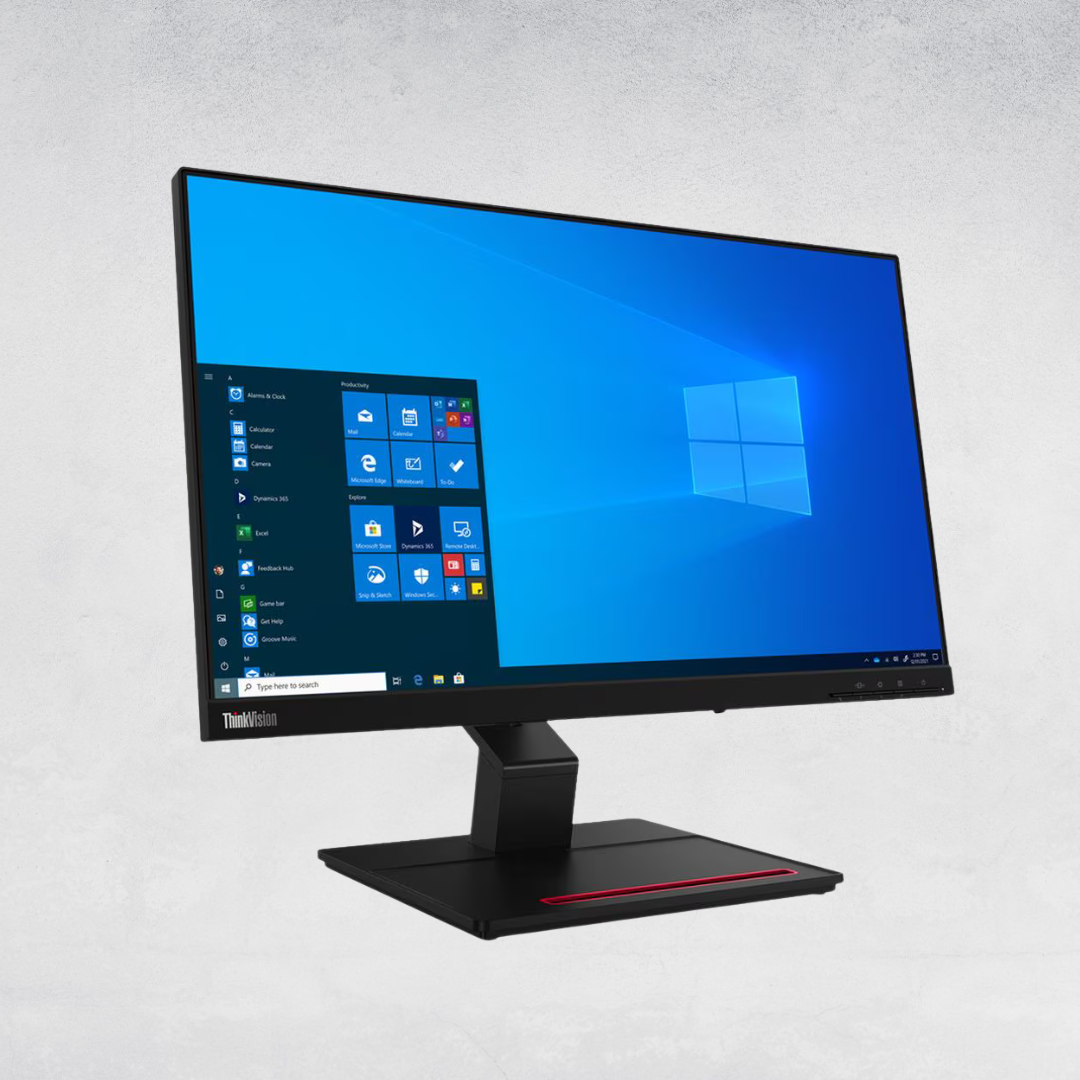
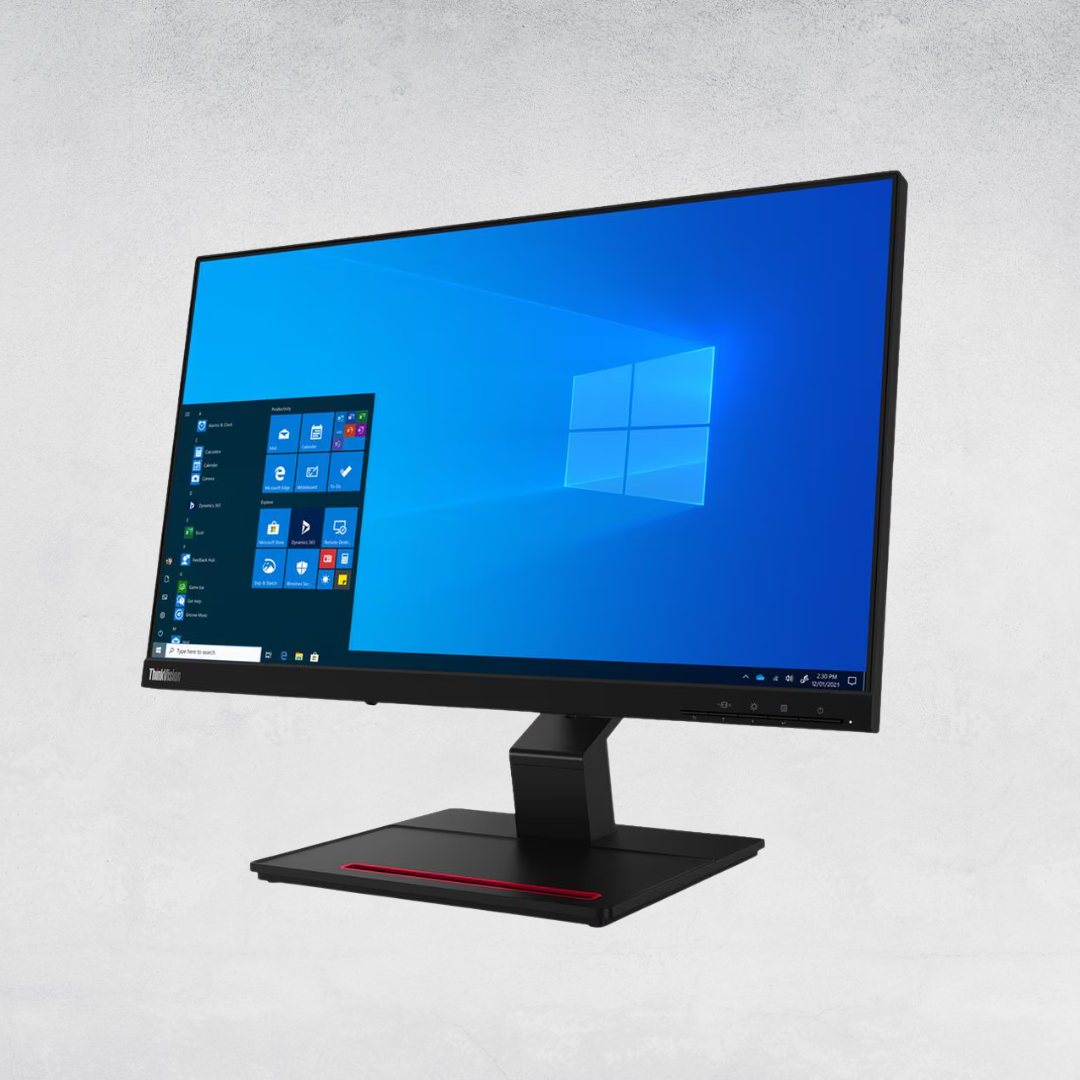
Business opportunities are at your fingertips if you’re able to take advantage of touch. ThinkVision T24t-20 puts success
in both your hands thanks to its 23.8-inch, touchscreen, In-Plane Switching panel display that recognizes input from 10
points at once. That lets you control different areas of the screen simultaneously. And with up to 2,880 touch sensors, you
can draw and edit images with precision and work with apps that use variable touch. Its 1920 x 1080 resolution, anti-glare,
3-side NearEdgeless screen that can operate even without a stand makes it ideal for transforming public-facing scenarios
and home working moments into literal touch points.
With multiple options for connectivity, this docking monitor not only lets you connect to desktops, laptops, ThinkCentre
Nano, tablets and phones1
, T24t-20 lets you use that touch input to control them when they’re connected, giving you the
most intuitive mastery of your IT arsenal. And its power button controls and shows the status of connected ThinkPad* and
ThinkCentre Nano*. It’s made possible by the USB Type-C2 port that provides a true 1-cable solution, removing additional
cables and complex setups, to enable touch. That single cable transfers both data and video signals and can even power
your connected devices up to 90W3 through Lenovo Smart Power management without extra power cables clogging up
your workspace. Add to that, HDMI, DP and USB Type-A and Audio Out connectivity and T24t-20 is ready to plug and play
with all the tools you need.
In light of its touch capability, this monitor is designed to get closer to you, with its extensive tilt range on its ergonomic
stand that lowers all the way to the desk and lifts 90 mm, or wall-mounted through its VESA capability or purely by itself.
And, having a quick-release feature, it can be swiftly swapped between these options.
Loaded with proprietary ThinkColour Software (Lenovo Accessories and Display Manager)4, you can instantly and
effortlessly adjust fine controls of the screen’s brightness, color space, even connectivity and more, either directly with
your fingers or just the click of a connected mouse, to perform at its best no matter what the task and usage environment.
The monitor also actively works to safeguard your eyes with TÜV Rheinland Eye Comfort, TÜV Low Blue Light (Hardware
Solution) and Natural Low Blue Light technology with Eyesafe certification that reduce flicker and harmful high-energy blue
light that could otherwise cause eye fatigue. And T24t-20 also comes with ENERGY STAR 8 certification, so you work, while
resting assured that it’s doing its best to responsibly minimize your energy consumption.
Category : Monitor
Brand : Lenovo
Product : ThinkVision T24t-20
Description
Features
The power of touch x10
Now nothing gets between you and your productivity. Get hands-on with your business through ThinkVision T24t-20’s 10-point touchscreen that has 2,880 touch sensors to register your every input. Its 23.8-inch, 1920 x 1080 resolution, touchscreen, In-Plane Switching panel display delivers vivid images in a color space of 99% sRGB at 300 cd/m2 from a viewing angle of 178°. That’s whether it’s mounted high to greet users at eye-level or stationed horizontal and low on a desk for sharing presentations or location information. While its 3-side NearEdgeless, anti-glare display maximizes screen real estate, removes bulky edges that would limit comfortable touch input, and presents a clear picture that’s free from distraction. So, it’s equally ideal in libraries, check-ins, hotel check-outs, museums, doctors’ waiting rooms and shopping mall info-points. In fact, casinos and classrooms and everything in between. Use it for machining assemblies or simply update your prospective client on your ideas and let their fingers take a tour through your design drawings.
1-cable convenience
A monitor designed to be touched, it also loves to play well with other equipment. At the heart of its great connectivity is a USB Type-C2 port that gives you 1-cable convenience to cleanly enable touch functions, without extra, messy wires, as well as transfer data and video signals to connected laptops, desktops and selected compatible Android™ and Chrome devices. And thanks to Lenovo Smart Power technology, the same cable can dynamically charge those connected devices with up to 90W3 of power. In short, it frees you from extra power cables cluttering workstations and retail display spaces. Using the same USB Type-C2 cable, touch the screen and you’ll control the PC connected to it. ThinkVision T24t-20 is designed for compatibility with its built-in HDMI, DP and USB Type-A and Audio Out ports giving you an ideal all-round monitor for kiosks, check-in desks and even education environments.
Sit flat. Stand tall. Mount on the wall.
Get up to the task of getting right down to business. T24t-20’s supreme flexibility in usage scenarios springs from how many ways you can install it. Mount on its ergonomic stand, whose extended tilt range can bring it right down to desk level, on a VESA 100 mm x 100 mm wall-mounted arm or just by itself, relatively horizontal, to give you exactly the performance you need whether you’re sharing with colleagues, letting people check themselves in at airports or controlling industrial manufacturing equipment.
Adjust in just an instant
Matching the convenience of its multi-touch interface, T24t-20 also comes packed with the exclusive ThinkColour Software (Lenovo Accessories and Display Manager)4 that makes adjusting the screen’s settings effortless, efficient and fast. A clean on-screen display gives you control over every aspect of its performance to optimize users’ experience in practically any environment, in an instant. Forget button pushing, just swipe, tap and move on. While the touch functionality cares for your experience, its engineering cares for your efficiency and impact. T24t-20 is ENERGY STAR 8-certified, to help you move toward your corporate and social responsibility. While TÜV Rheinland Eye Comfort, TÜV Low Blue Light (Hardware Solution) and Eyesafe certified and Natural Low Blue Light technology reduce harmful blue light wavelengths so that you can work for extended periods without the worry of eye fatigue. All without distorting the color output.
Features
Ports and slots

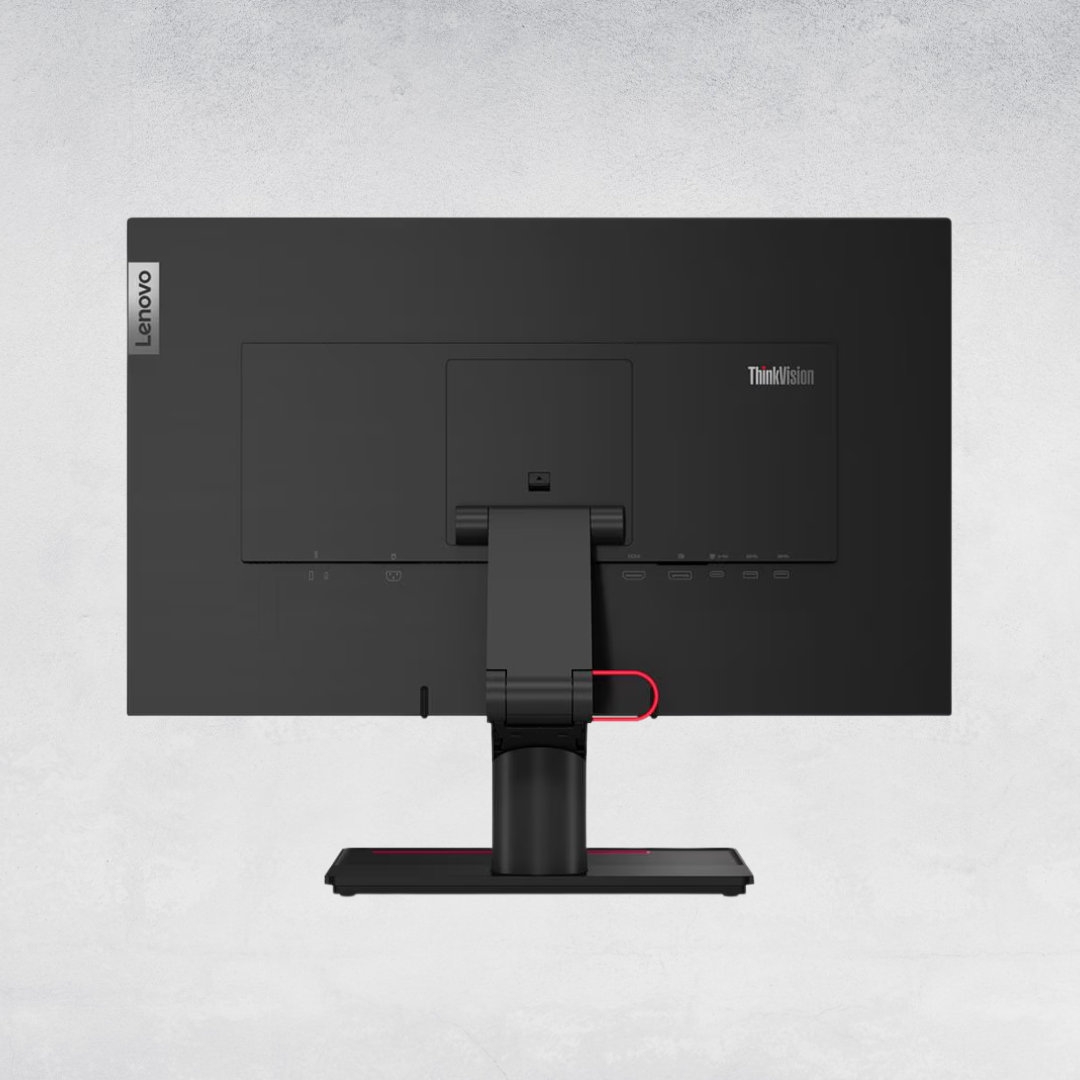
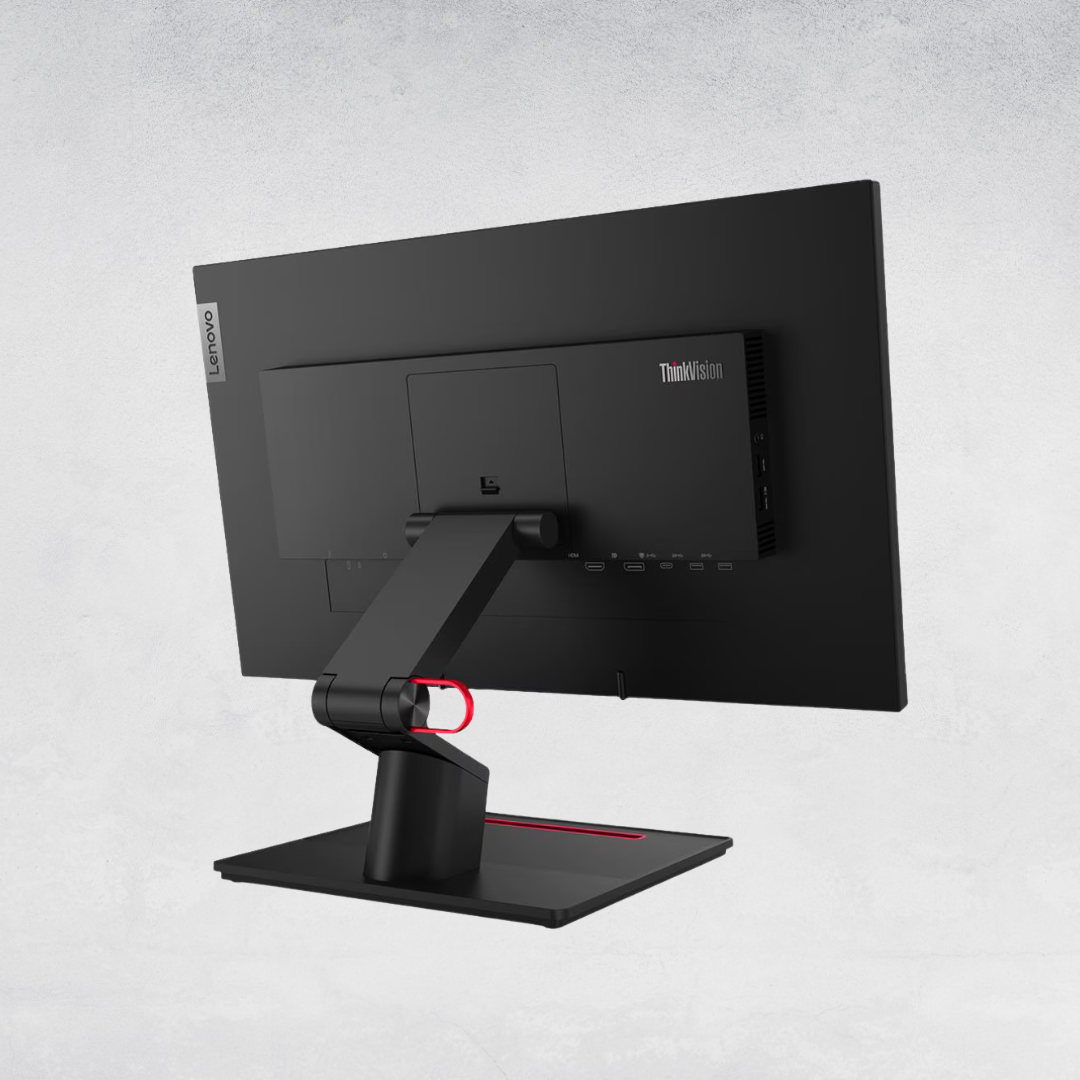
Rear view
1. Power connector | 6. USB 3.2 Gen 1 |
2. HDMI® 1.4 | 7. Audio line-out (3.5mm) |
3. DisplayPort™ 1.2 | 8. USB 3.2 Gen 1 |
4. 1x USB-C® 3.2 Gen 1 (DP 1.2 Alt Mode) | 9. USB 3.2 Gen 1 (BC 1.2) |
5. USB 3.2 Gen 1 |
Lenovo ThinkVision T24D-40 Monitor - Technical Specifications
| Panel Size | 23.8-inch |
|---|---|
| Screen Dimensions | 535.0 mm x 310.1 mm |
| Panel Type | 4-sided Ultra Thin, IPS |
| Active Area | 527.0 mm x 296.5 mm |
| Backlight | WLED |
| Aspect Ratio | 16:9 |
| Resolution | 1920 x 1080 (FHD) |
| Pixel Pitch | 0.2745 mm x 0.2745 mm |
| DPI/PPI | 93 |
| Viewing Angle | 178° / 178° |
| Response Time | 4 ms (Extreme), 6 ms (Normal) |
| Refresh Rate | 48–120 Hz |
| Brightness | 250 cd/m² |
| Contrast Ratio | 1500:1 (Typical) |
| Dynamic Contrast Ratio | 3M:1 (Typical) |
| Color Gamut | 99% sRGB, 99% BT.709 |
| Color Support | 16.7 Million |
| Color Depth | 8-bit (6+FRC) |
| Anti-Glare | Yes |
| Video Signal | 1 x USB-C (DP 1.4 Alt Mode HBR2), 1 x HDMI 1.4, 1 x DP 1.4 (HBR2), 1 x DP 1.4 Out |
|---|---|
| Ethernet (RJ45) | Yes (1G) |
| USB Upstream | 1 x USB-C (USB 3.2 Gen 1, PD up to 100W, DP 1.4 Alt Mode) |
| USB Downstream | 3 x USB-A (USB 3.2 Gen 1, 1 x BC1.2), 1 x USB-C (USB 3.2 Gen 1, up to 15W PD, data only) |
| Integrated Speakers | Yes (2 x 2W) |
|---|
| Software | LDFM, Lenovo ThinkColour |
|---|---|
| Natural Low Blue Light | Yes |
| Mirrored Power Button | Yes |
| Consumption (Typical/Max) | 16W / 157W |
|---|---|
| Sleep/Off Mode | < 0.5W |
| Switch-Off Mode | < 0.3W |
| ENERGY STAR Consumption | 14W / 50kWh |
| Power Supply | Internal |
| Upstream Power Delivery | Up to 100W PD3.0 |
| Smart Power | Yes |
| Voltage Required | AC 100–240 V (50–60Hz) |
| Tilt Angle | -5° / +23.5° |
|---|---|
| Swivel Angle | -45° / +45° |
| Lift Range | 155 mm |
| Pivot | -90° / +90° |
| VESA Mount | Yes (100 x 100 mm) |
| ThinkCentre M Series Tiny Support | Yes (PN: 4XF1R07369) |
| Kensington Nano Security Slot | Yes (2.5 mm x 6 mm) |
| Cable Management | Yes |
| Bezel Color | Eclipse Black |
| Bezel Width | Side: 2.0 mm, Top: 2.0 mm, Bottom: 10.5 mm |
| Size Packed | 730.0 x 112.0 x 420.0 mm / 28.74 x 4.41 x 16.54 in |
|---|---|
| Size Unpacked w/ Stand (Highest) | 539.8 x 190.0 x 505.8 mm / 21.25 x 7.48 x 19.91 in |
| Size Unpacked w/ Stand (Lowest) | 539.8 x 190.0 x 350.8 mm / 21.25 x 7.48 x 13.81 in |
| Size Unpacked w/o Stand (Head Only) | 539.8 x 45.3 x 314.8 mm / 21.25 x 1.78 x 12.39 in |
| Weight Packed | 8.0 kg / 17.6 lbs |
| Weight Unpacked | 5.6 kg / 12.4 lbs |
| Weight (Head Only) | 3.5 kg / 7.7 lbs |
| Monitor with Stand | Yes |
|---|---|
| Power Cable | 1 x Power Cable (1.8 m) |
| DP Cable | 1 x DP 1.4 Cable (1.8 m) |
| USB Cable | 1 x USB Type-C to Type-C Gen1 Cable (1.8 m) |
| Monitor with Stand | Yes |
| Power Cable | 1 x Power Cable (1.8 m) |
| DP Cable | 1 x DP 1.4 Cable (1.8 m) |
| USB Cable | 1 x USB Type-C to Type-C Gen 1 Cable (1.8 m) |
| Quick Setup Guide | Yes |
| ENERGY STAR Certification | Yes |
|---|---|
| TCO | 10 |
| TCO Edge | 2.1 |
| EPEAT | Gold |
| VOC Certification | Yes |
| RoHS | Yes (2011/65/EU) |
| Windows Certification | Windows 10, Windows 11 |
| EU Energy Level Certification | Yes (Level-D) |
| China Energy Efficiency Standard | Tier 2 |
| TÜV Rheinland Eye Comfort | 5 Stars |
| TÜV Rheinland Low Blue Light | Yes (Hardware Solution) |
| Eyesafe Display Certification | Yes (Eyesafe 2.0) |